


Capture
A few seconds is enough
Hold the shutter for 1s / 2s / up to 10s. Fixed durations stop for you; countdown works too.
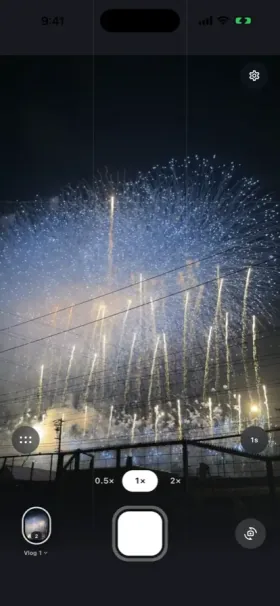
Capture, stitch, and fine-tune each clip — all on your phone.
Capture
Hold the shutter for 1s / 2s / up to 10s. Fixed durations stop for you; countdown works too.
Studio
Preview clips in order, burn timestamps into the frame, and export a real MP4.
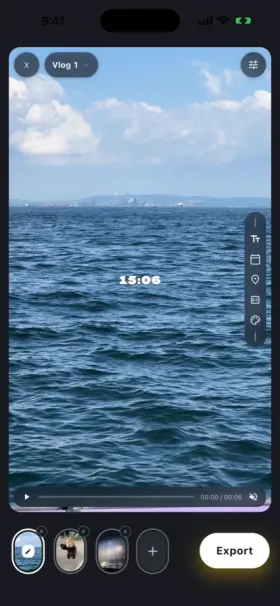
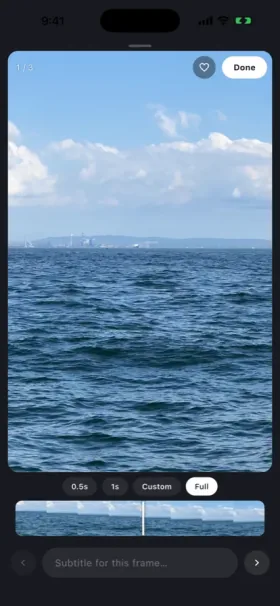
Clip
Trim duration and add subtitles per clip. Optional cloud translation; your original text stays on device.
Two pages that answer the questions people already search for.
Everything you need to know about CocoCut's on-device privacy, pricing, and video journaling.
CocoCut is a local-first daily video diary app for iOS and Android. Hold the shutter for a 1s or 2s clip (or long-press for up to 10 seconds), and CocoCut stitches your clips in date order into a mini vlog, with no timeline editing.
Never. CocoCut operates on an on-device local storage architecture. All your recorded video footage and rendered movies stay on your phone and native photo album. We do not operate video storage servers and no account registration is required.
Yes, the core is free: 1s/2s capture, long-press clips up to 10 seconds, automatic chronological stitching, date stickers, and 720P export. 1080P and 4K share 2 free exports for non-members. Anyone can turn the watermark off for free, for that export. Pro is optional and adds 1080P/4K after those 2, adjustable 3–10s durations, and unlimited Vlogs.
CocoCut is built around on-device privacy: clips and films stay on your phone and photo album, with no account required. It runs on both iOS and Android, exports 720P on the free tier (1080P and 4K come with 2 free exports), and lets every user remove the watermark for free.